Create an account, Plus, Pro, Business
What the free account gives you, how to order Plus, Pro or Business and how signing in with passkey or password works.
Do I need an account?
No – recording and sharing work without one. A free account gives you the message list and a recording widget for your website (30 messages per month) – create one at speeeak.io/konto/registrieren: name, e-mail, link in the mail, set a password, done.
Above that there are three plans: Plus (personal: 15 minutes, 90 days, short links, voice card to your own mailbox, one landing page), Pro (for your website: five widgets, unlimited landing pages with lead form, no Speeeak note) and Business (teams and agencies: unlimited, one year of storage, API).
Order Plus, Pro or Business
- speeeak.io/preise → “Order …” next to the plan you want.
- Enter name, e-mail address and (for the invoice) postal address. Companies can provide their VAT ID.
- Choose a payment method and pay – you'll see the available payment methods (e.g. credit card) at checkout.
- You'll receive a welcome mail with a sign-in link. One click – and you're in your account.
Plus costs €4.90 per month (Pro €19, Business €49), runs monthly and can be cancelled at any time (see Invoices and cancelling).
Sign in
At speeeak.io/konto you sign in with your e-mail address and password. You set the password the first time via the link from the welcome mail.
Forgot your password? “Forgot password?” on the sign-in page sends you a one-time link (valid for 48 hours) to set a new one. You can change it at any time under Account → Change password.
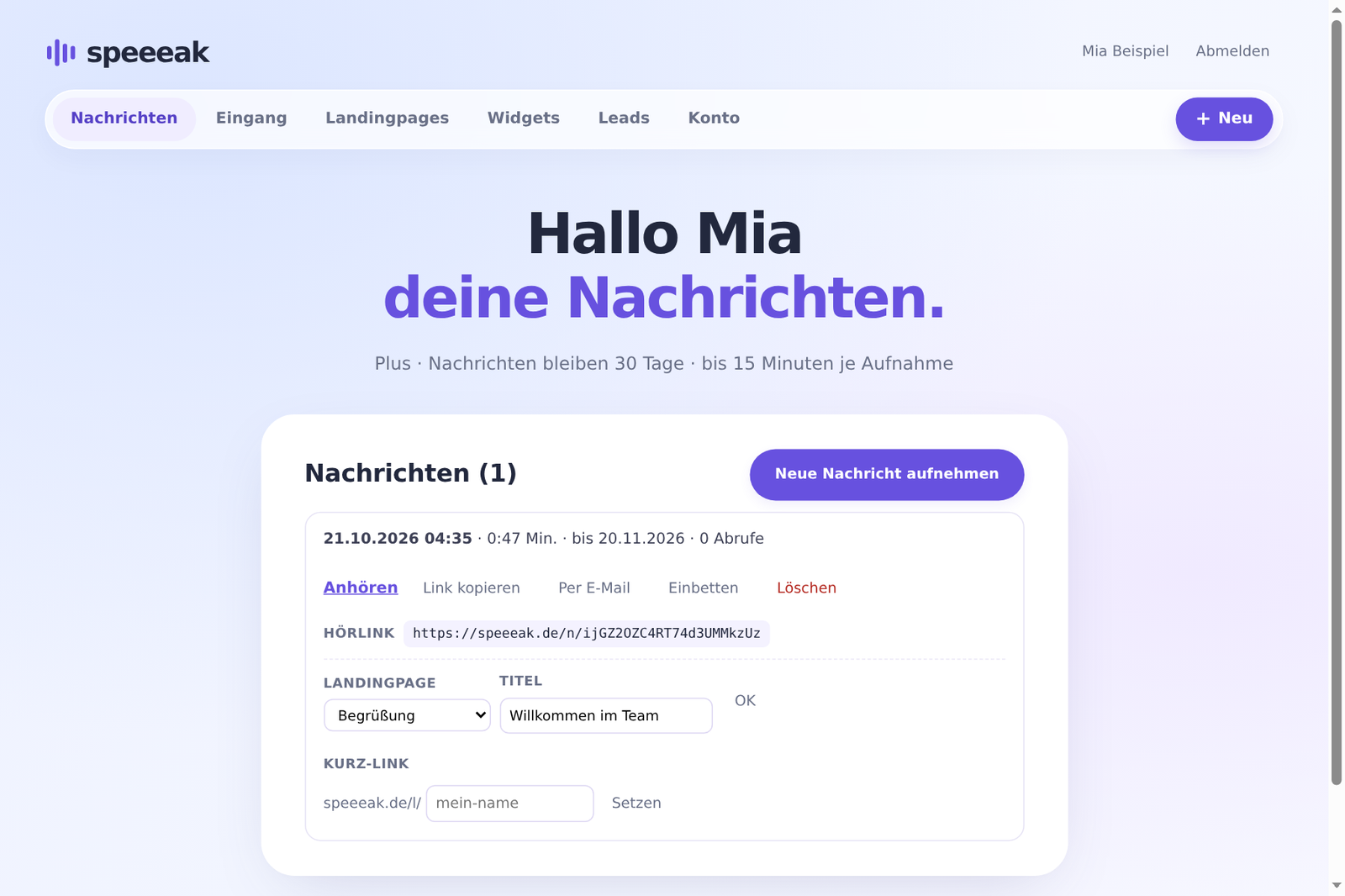
The account at a glance
The bar below the header takes you everywhere:
| Item | What's there |
|---|---|
| Messages | all your messages: listen, send by e-mail, embed, assign a landing page, set a short link, delete |
| Inbox | messages that visitors recorded for you via your recording widget – with reply buttons |
| Landing pages | your listening page designs |
| Widgets | recording widgets for your website |
| Leads | sign-ups from your landing page forms |
| Account | plan, data processing agreement, invoices, data export, delete account |
The “+ New” button on the right creates a message, landing page or widget directly.